
What a queue management system is, which parts it has, how it works one step at a time and how to tell whether your institution needs one.
A queue management system organises how visitors wait and how they’re served. Rather than a physical line in front of every desk, service users take a numbered ticket, wait in a seated area and are called to the appropriate counter when it’s their turn. Behind the scenes, software records every step, so managers can see wait times and plan personnel.
The parts of a queuing system
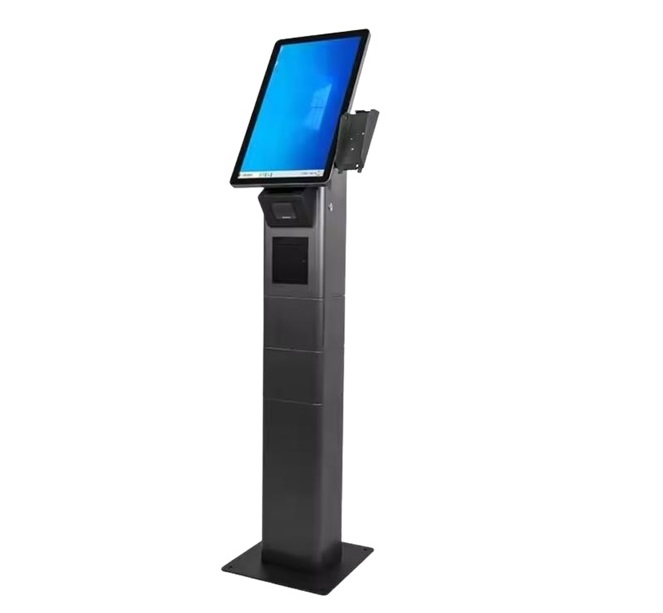
- Ticket kiosk – a touchscreen where service users select the service they need and receive a ticket. Smaller sites frequently use a desktop ticket printer instead.
- Counter displays – small LED or LCD screens above each desk showing the number being served.
- Main display – a big screen or LED board in the waiting hall listing the latest calls and which counter to go to.
- Personnel terminal – software on the personnel PC (or a keypad) to call, recall, transfer or close a ticket.
- Central software – the brain of the system: services, routing rules, screens, reports and settings for every branch.
- Optional extras – sound boxes for chimes and voice calls, feedback devices, mobile ticketing and appointment booking.
How it works, one step at a time
- The visitor selects a service at the kiosk – for instance “New account” or “Laboratory”.
- The system issues a ticket with a number, the service name and an estimated wait.
- When a personnel member presses “Next”, the system picks the appropriate ticket based on service, priority and wait time.
- The number appears on the counter display and main display, with a gong and voice call.
- After service, the ticket is closed – or transferred to another service without the visitor taking a new ticket.
Why institutions install one
The obvious benefit is order: no crowding at desks and no arguments about who was first. The bigger benefit is details. Every ticket carries timestamps, so you learn how long individuals really wait, which services take longest and when your peaks are. That turns staffing from guesswork into planning.
Service users notice the difference too. Being able to sit down, see your position and know roughly how long you will wait makes the same wait feel much shorter.
Signs you need a queue system
- Individuals crowd around desks or ask personnel “who’s next?”
- Visitors leave before being served.
- You have several services and visitors frequently end up at the wrong desk.
- Management has no reliable figures on wait time per branch.
Where to begin
Begin with your busiest site. Count your services, counters and service users per hour at peak time, next size the kiosk and displays around that. Our wait-time calculator supports estimate how many counters you need. When you are ready, request a demo and we will show you a configuration for your own services.
You may also like
Sıramatik Nedir? Sıra Yönetim Sistemi Rehberi
Sıramatik ve sıra yönetim sistemi nedir, hangi parçalardan oluşur, nasıl çalışır? Kurum ve işletmeler için pratik rehber.

7 Ways to Cut Patient Wait Time in Hospitals
Hands-on steps clinics and hospitals can take to shorten patient wait times, from multi-step patient flow to appointment mixing and live monitoring.

Virtual Queue vs Physical Queue: Which Is Right for You?
The difference between virtual and physical queues, their pros and cons, and why most businesses end up combining the two.