

Screen size, printer, body material, accessibility, readers and branding – a checklist for choosing the appropriate queue ticket kiosk.

The ticket kiosk is the first thing service users see of your queue system. It has to be effortless to use, tough enough for public spaces and reliable all day. Here is what to check before you purchase.
1. Floor, wall or desk?
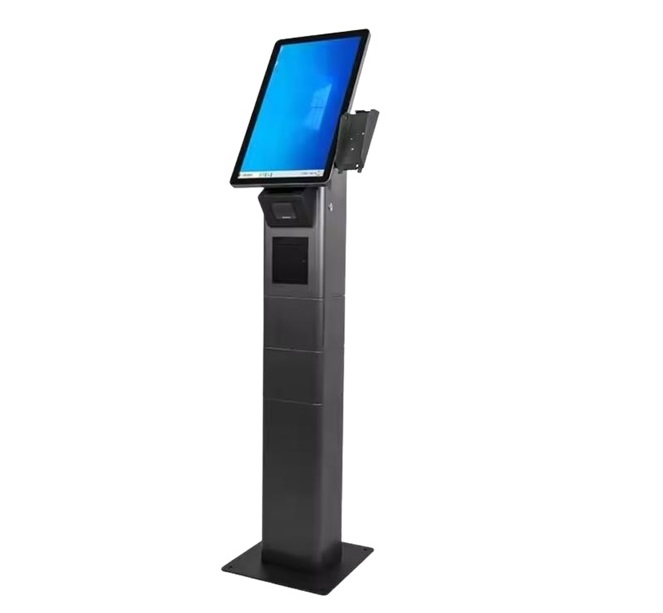
Stand-alone kiosks like the Wizard Kiosk 24 work best at a main entrance. Where floor space is tight, a wall-mount kiosk or desktop ticket printer does the same job.
2. Screen size and orientation
Sizeable portrait screens (19–24″) suit numerous services and sub-menus. Small sites with a handful of services can use 8–17″ screens.
3. Touch technology
Capacitive touch screens respond like a smartphone and are easier to keep clean. Look for tempered or vandal-resistant glass in public areas.
4. The printer
Thermal printers need no ink or toner. Check print speed, roll capacity (about 3,000 tickets per roll is typical) and whether the kiosk accepts standard paper rather than special pre-cut rolls.
5. Body and finish
Powder-coated steel lasts longer than plastic. Thicker steel and a vandal-proof shell matter in really high-traffic or unattended locations. Ask whether the body can be painted in your corporate colours.
6. Readers and payment
ID card, RFID, barcode or QR readers let service users identify themselves for priority service or appointment check-in. If you also collect fees, consider a payment kiosk.
7. Accessibility
Place the screen at a height wheelchair users can reach, use sizeable buttons and high-contrast designs, and offer multiple languages.
8. Software and remote management
The kiosk should be run centrally: screen designs, services and ticket layouts pushed from head office, with automatic updates. This matters far more over a ten-year life than the hardware specification.
Compare all our models on the kiosk page, or ask us which one fits your site.
You may also like
Sıramatik Nedir? Sıra Yönetim Sistemi Rehberi
Sıramatik ve sıra yönetim sistemi nedir, hangi parçalardan oluşur, nasıl çalışır? Kurum ve işletmeler için pratik rehber.
What Is a Queue Management System? A Hands-on Handbook
What a queue management system is, which parts it has, how it works one step at a time and how to tell whether your institution needs one.

7 Ways to Cut Patient Wait Time in Hospitals
Hands-on steps clinics and hospitals can take to shorten patient wait times, from multi-step patient flow to appointment mixing and live monitoring.